
Viv Home Care
Viv Technologies Inc.Medical
3.852.00 Reviews
- Version
- 2026.8.0
- Installs
- 10.00K
- Age Rating
- Everyone
Screenshots
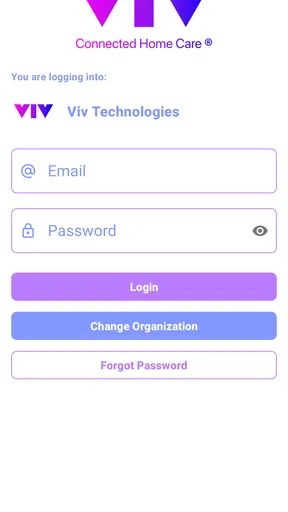
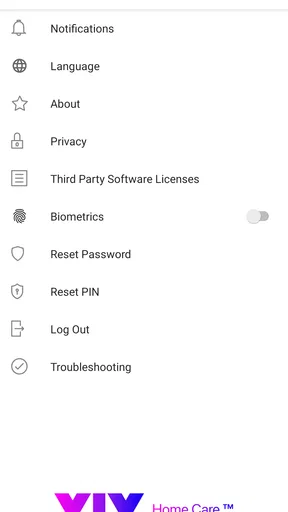
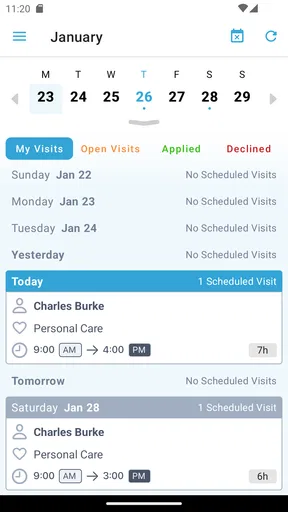
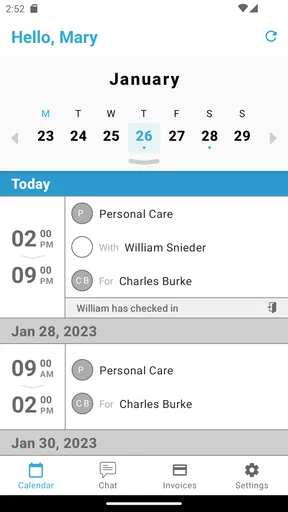
Our Review of Viv Home Care
 Analysis by Appyee
Viv Home Care is a medical app from Viv Technologies Inc. that aims to make home care easier to coordinate through technology. I approached it as a practical tool rather than a replacement for professional medical advice, and that distinction matters. Its value depends less on novelty and more on whether it fits the routines of the person receiving care, the family member helping them, and the professionals involved.
My overall impression is that it is most useful when home care already involves several people and small pieces of information need to stay organized. It feels less compelling for someone who only wants a general wellness tracker or a simple reminder app. The app is free, rated for Everyone, and belongs to the medical category, so it is approachable for a broad audience. Still, medical software deserves a careful setup, especially when an older adult or someone with limited technical confidence will be using it.
Where the real friction begins
The first challenge with a home-care app is rarely the idea itself. It is usually the handoff between people. A family member may install the app, the person receiving care may use it occasionally, and a caregiver may need to interpret what appears on screen. When those roles are not agreed on beforehand, even a well-designed tool can create confusion instead of reducing it.
In my experience, the best starting point is to decide who will use Viv Home Care directly and who will simply receive information from the person using it. That conversation prevents a common mistake: treating the app as if every participant should have the same responsibilities. A care recipient may need a very simple daily routine, while a family member may be focused on checking whether that routine is being followed.
Another sticking point is expecting the app to solve an urgent medical problem. It should not be treated as an emergency service, diagnostic tool, or substitute for a clinician. If someone has severe symptoms or needs immediate assistance, the appropriate emergency or medical channel comes first. An app can support a care routine, but it cannot replace judgment, examination, or direct communication with a qualified professional.
The app’s modest public footprint also helps set expectations. It has passed the ten-thousand-install mark and carries a 3.8 average from roughly one hundred twenty ratings, with around fifty reviews. Those figures suggest that people are using it, but they do not place it in the same maturity bracket as the biggest general health platforms. I would therefore approach it as a focused home-care option, not as a universal medical command center.
Start with the person, not the phone
Before installing it, I would write down the actual care problem in one sentence. Is the goal to make a routine easier to follow? To help a relative stay involved from a distance? To make home-care information easier to manage? A clear answer makes it easier to judge whether the app is helping after the first few days.
This is also where Viv Home Care can be a better fit than a generic notes app. Notes applications are flexible, but they leave the user responsible for inventing a structure. A general calendar can handle appointments, yet it may not feel natural for an ongoing home-care routine. A dedicated medical app has a clearer purpose, although that focus can make it less useful for unrelated household tasks.
I would avoid entering a large amount of information immediately. Begin with the smallest routine that matters. If the person using the app finds the first session tiring or confusing, adding more content will not improve the experience. A gradual start makes it easier to identify whether the problem is the app, the device, or simply an unrealistic care plan.
Setup checks that prevent avoidable problems
Viv Home Care currently appears as version 2026.8.0 and requires an operating system version ten or later. That requirement is easy to overlook when an older phone is being used for a parent or relative. Before troubleshooting anything inside the app, I would check the device software and confirm that the phone can run current applications comfortably.
The next check is practical rather than technical: make sure the correct person is using the intended device. In a busy household, a caregiver may accidentally configure the app on their own phone and later expect the care recipient to use it independently. That arrangement can work, but only if everyone understands who is responsible for opening the app and communicating the result.
I would also reserve a few quiet minutes for the first setup instead of doing it during a rushed visit. Medical routines are easier to establish when the user can read the screen, ask questions, and repeat the process. A rushed installation often leads to forgotten steps, unclear expectations, and the false impression that the application is unreliable.
Keep the first test deliberately simple. Open the app, move through the screens at a comfortable pace, and confirm that the user understands what action is expected. If the person has difficulty reading small text or navigating touch controls, the limitation may be the phone rather than Viv Home Care. A larger display, better lighting, or assistance from a family member may make a bigger difference than reinstalling the software.
One useful habit is to observe the user completing the routine without taking over. People often say they understand an app while watching someone else use it. When they try alone, the difficult step becomes visible. That observation gives you a precise problem to solve instead of a vague complaint that “the app does not work.”
How I would recover a routine after a failed session
If a session stops behaving as expected, I would first note exactly what happened: whether the app failed to open, whether a screen did not respond, or whether the user simply was not sure what to do next. Those are different situations and should not be treated as one generic technical failure.
For a basic recovery, I would close and reopen the app, check that the phone is functioning normally, and try again without changing several settings at once. If the issue appears only on one device, testing the same routine on another compatible device can help separate an app problem from a device problem. I would also avoid repeatedly tapping a button when the screen appears slow, since that can make the user unsure which action was actually registered.
A written backup can be sensible during the first few days. This does not mean abandoning the application. It simply protects the care routine while everyone learns the workflow. A short paper note or an agreed family message can record what was completed until the user is confident that the digital process is clear.
The most useful recovery strategy is to return to the last step the user definitely understood. Starting from the beginning every time can make a small navigation issue feel much larger. If a relative knows how to open the app but not what to do afterward, demonstrate only the next action, then let them repeat it. This approach is especially helpful for people who become anxious when a screen changes unexpectedly.
I would not improvise medical instructions to compensate for a technical problem. If the app is being used alongside a clinician’s care plan, follow that plan and contact the appropriate professional when an important task cannot be confirmed. Technical troubleshooting should restore access to the routine; it should never alter the routine itself.
When the app is not the cause
Home care is affected by many things outside an app: fatigue, pain, poor hearing, limited vision, unstable internet access, an aging phone, or a family member who is unavailable at the expected time. Blaming the application for every interruption can hide the real issue. In some cases, simplifying the routine or changing who provides assistance will help more than any software adjustment.
For example, imagine an older relative who normally completes a care task after breakfast. One morning, they say the app is confusing. Watching the process might reveal that sunlight is washing out the display, the phone is almost out of storage, or the person is trying to use the app while feeling unwell. Those details change the solution completely. Better lighting, device maintenance, or human support may be the right response.
This is one reason I would not make Viv Home Care the only communication path for an important care arrangement. A family member should know how to reach the person directly, and the care recipient should know whom to contact if the app is unavailable. Digital convenience is valuable, but it should sit inside a broader care plan rather than become a single point of failure.
The same caution applies to privacy and shared devices. I would use a personal device when possible and avoid leaving a medical app open where other people can casually view it. I would also explain to everyone involved what information should be discussed privately. These are sensible habits for any medical application, but they are especially important when care is shared across a household.
Who will benefit most from Viv Home Care?
I see the strongest fit for people managing recurring home-care responsibilities who want a dedicated place to support that process. It may suit an adult child helping a parent, a person recovering at home, or a household trying to make a care routine more consistent. The app is also more promising when at least one user is comfortable helping with setup and occasional troubleshooting.
It is less suitable for someone looking only for exercise statistics, nutrition logging, or broad lifestyle coaching. Those needs are better served by apps designed specifically for wellness tracking. It may also be a poor choice for a user who refuses digital routines, has a device below the minimum operating-system requirement, or needs immediate clinical interaction rather than home-care support.
Compared with paper notes, Viv Home Care offers a more purpose-built experience, but paper remains easier to understand at a glance and does not depend on a battery or compatible phone. Compared with a calendar, the app is more closely aligned with care, while a calendar may be better for appointments shared across an entire family. Compared with messaging, it can provide more structure, but a message is often faster when a caregiver simply needs to ask how someone is doing.
That trade-off is important. A dedicated app is not automatically better than familiar tools. Its advantage appears when the care routine benefits from a consistent digital home. If the household already has a clear, reliable system using a notebook and phone calls, switching may add work without adding enough value.
What the developer and release history suggest
Viv Technologies Inc. released the app on May 28, 2020, and it has continued to a current version of 2026.8.0. I take that continued versioning as a reason to keep the app in consideration, but not as proof that every device or household will have a smooth experience. Updates can improve compatibility while also changing where users expect to find familiar controls.
Because the app is free, trying it does not require a purchase decision. The more meaningful cost is time: setting it up, teaching the routine, and deciding how it fits with existing care responsibilities. I would give it a fair trial using one clearly defined task rather than judging it after a rushed installation or filling it with every possible care detail.
The Everyone age rating makes it broadly accessible, but it should not be confused with medical simplicity. A child, an older adult, and a professional caregiver may all be allowed to use the app while needing very different explanations. Accessibility in the store sense does not remove the need for supervision, consent, and appropriate medical judgment.
My practical verdict
After looking at Viv Home Care as a real household tool, I would recommend it selectively. Its strongest quality is its focused home-care purpose, not a promise to replace the wider healthcare system. If you have a recurring care routine, a compatible device, and someone willing to help with the first setup, it is worth testing because the free price removes the biggest financial barrier.
I would begin with one user, one device, and one clearly understood routine. Watch the first independent attempt, keep a simple backup while confidence grows, and decide whether the app reduces effort after several ordinary days. If the household still needs constant explanations, the problem may be that a simpler tool or more direct human support is better.
My recommendation is therefore cautious but positive for families seeking a dedicated home-care app. I would not choose it for emergency needs, general fitness tracking, or a care plan that depends on unverified digital records. For the right household, though, Viv Home Care can provide a more organized starting point than scattered notes and reminders. The key is to treat it as one practical part of care, test it calmly, and keep people—not the software—in charge of decisions.
Verdict
Strengths of Viv Home Care
- Easy access to home care services from a mobile device.
- Helps users coordinate visits and communicate with caregivers.
- Useful for managing care needs without frequent phone calls.
- Can make care information easier to organize in one place.
- May provide reassurance to families monitoring a loved one’s care.
Limitations of Viv Home Care
- Service availability may depend on location and local care providers.
- Some features may require an account or verified care arrangement.
- App usefulness can vary based on caregiver participation and updates.
- Sensitive health and personal data require careful privacy management.
- Users may still need to contact support for urgent care issues.
Similar Picks in This Category
View All
WebMD: Symptom Checker
WebMD, LLC4.1

Microphone Amplifier
DOSA Apps4.2

Anatomy Learning - 3D Anatomy
3D Medical OU4.5

Period Tracker and Calendar
SimpleInnovation4.9

GoodRx: Prescription Coupons
GoodRx4.8

CVS Health
CVS Pharmacy4.5
Frequently Asked Questions
What is Viv Home Care, and who is it designed for?
Viv Home Care is a home-care management app intended to help users coordinate and monitor care services outside a traditional healthcare facility. Depending on the provider’s setup, it may support communication between clients, family members, caregivers, and care coordinators. Before downloading, check whether Viv Home Care is available through your specific care organization, since access and features can vary by region and service plan.
What features can I expect to find in Viv Home Care?
The available tools may include care schedules, appointment or visit information, caregiver communication, service updates, task tracking, notifications, and access to selected care records. In my experience reviewing care-management apps, the exact dashboard is often controlled by the organization that provides the account, so some users may see more features than others. Confirm the included functions with your care provider.
Is Viv Home Care free to download and use?
Viv Home Care may be free to download, but that does not necessarily mean every service connected to the app is free. Access is commonly linked to a home-care agency, healthcare provider, employer, insurance arrangement, or personal care plan. You should ask the organization supporting your account about eligibility, subscription costs, data charges, and whether any optional services or premium features require additional payment.
Is Viv Home Care safe for storing personal health and care information?
Because a home-care app can handle sensitive personal, medical, scheduling, or contact information, privacy and security should be considered before use. Viv Home Care may apply account authentication and data-protection measures, but users should still create a strong, unique password, enable available security options, and avoid sharing login details. Review the app’s current privacy policy and permissions before entering confidential information.
What should I do if I cannot log in or the app does not work correctly?
If Viv Home Care will not open, fails to synchronize, or rejects your login, first check your internet connection and confirm that the app is updated through the official Android or iOS store. You can also restart the device or use the password-recovery option if available. For account, care-plan, or access problems, contact your home-care provider or the app’s official support team, as they may control permissions.
